
Slash
your day.
A useful, fun layer on top of the calendars you already have — iCloud, Google, Outlook, exactly as they are on your iPhone. Remove it any day; everything stays in your calendar. No accounts. No streaks. No guilt.
Nothing to reconnect. Nothing to configure.
Your iPhone already knows your calendars. DaySlash just mirrors them — two taps and your real day is on screen: meetings, holidays, that thing at 4. No OAuth dance, no importing, no linking accounts one by one. And everything is read on your device; your events never touch a server of ours, because we don't have any.
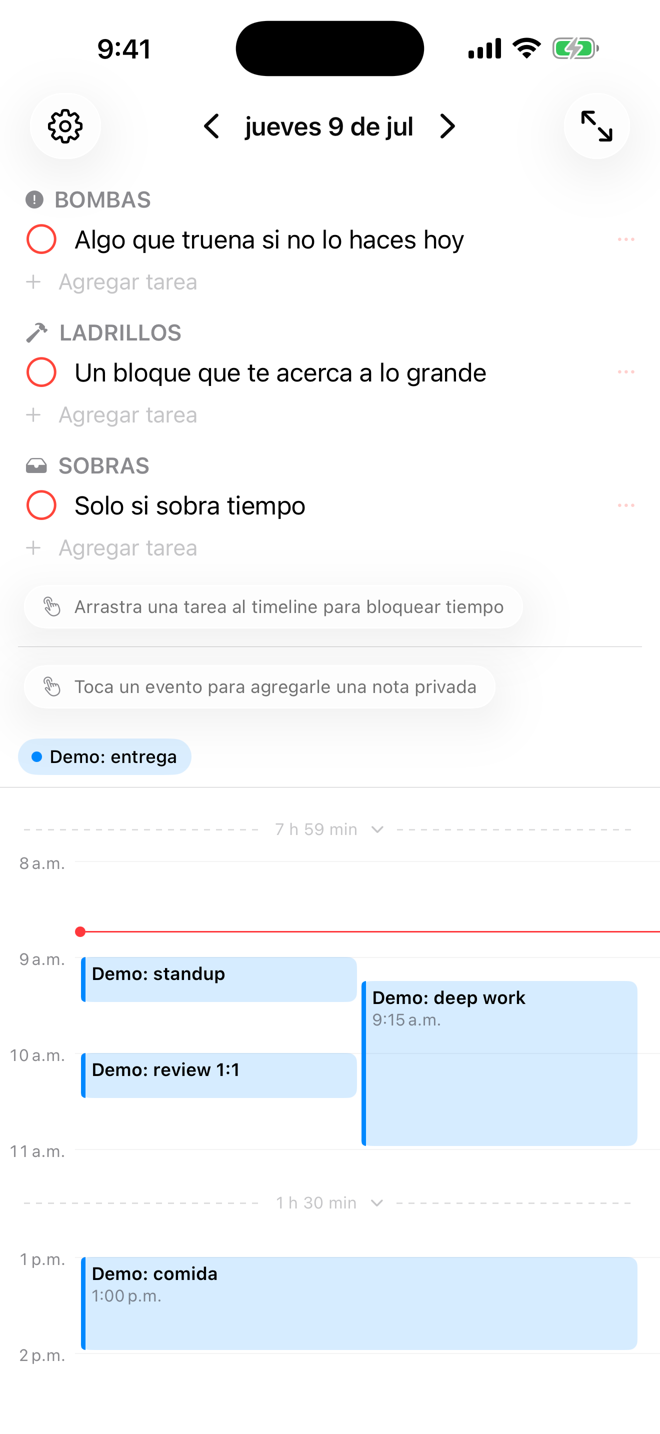
Three buckets. That's the system.
Bombs
Something blows up today if you skip it. Defuse these first.
Bricks
Each one moves your goals forward. Deserves protected time blocks.
Gravel
Useful, not critical. Fill gaps — or don't. Guilt-free.
Drag it. Block it. Slash it.
Drag a task onto your timeline and it becomes a real calendar event, synced back to iCloud, Google or Outlook. When it's done, slash it — a strike, a click you can feel, and it's gone. The most satisfying strikethrough on the App Store; that's the whole point.

Unfinished ≠ failure
Close your day with one line: "3 due, 2h built. Day slashed." Tomorrow opens a clean page. Whatever's left waits in gray at the bottom — never in red, never counted against you. Nothing yells. Nothing resets. Nothing follows you around.
- Accounts, sign-ups, onboarding quizzesnone
- Streaks that break, red badges, overdue countersnone
- Your data on our serverswe have no servers
- Syncyour private iCloud
- Credit card to try itno card, no account
- If we ever shut downyour data lives in YOUR calendar & iCloud — it doesn't need us
Free to start. One price forever.
Everything works free up to 50 active tasks.